

A scenario tagging system is a fixed set of labels you attach to every training scenario. The labels say what the call is about, who the customer is, which skill it tests and how hard it is. With them, a manager can find the right scenario in seconds, assign it to the right agent and see which skills are growing. Without them, a scenario library becomes a long list that no one trusts.
This guide shows how to design the tags, apply them, keep them clean and use them to coach. It is written for sales managers, contact center leaders and training directors.
TL;DR
- Tag every scenario in five groups: call type, customer behavior, skill tested, difficulty and channel.
- Keep a closed list of allowed values. Free-text tags drift within weeks.
- Name one owner for the tag list. Store it in one shared, versioned place.
- Use tags to assign practice by skill gap, not by habit or by whatever is newest.
- Track results by tag. Score trends per skill tell you more than one overall score.
Table of Contents
- What a scenario tagging system is
- The five tag groups to start with
- Add behavior-level tags when you need them
- Rules for tag design
- A worked example
- How to build the system in five steps
- Use tags to assign targeted practice
- Track skill development by tag
- Keep the system clean
- Measure whether it works
- Put your taxonomy into practice with Call Flow
- FAQ
- Sources
What a scenario tagging system is
A scenario is one practice call. A customer wants a refund. A buyer pushes back on price. A caller is angry about a late order. Each one has features you care about when you plan training.
A tag is a label that records one of those features. A tagging system is the full set of tag groups, the allowed values in each group, the rules for naming them and the process for changing them.
A scenario taxonomy is the same idea seen from the structure side. It is the tree or grid of categories your tags come from. Readers sometimes treat the two as separate things. In practice you build the taxonomy first and the tags are how you apply it.
Researchers who study sales calls use the same logic. One academic study applied a multidimensional annotation standard, ISO 24617-2, to call-center sales conversations. It shows that one utterance can serve several purposes at once. It can move the task forward, control the dialogue and manage the relationship with the customer.
That matters for your tags. One scenario rarely tests one thing. A good system lets a scenario carry several tags, one per dimension.

The five tag groups to start with
Start small. Five groups cover most training needs. Add a sixth only when a real reporting question demands it.
| Tag group | What it answers | Example values |
|---|---|---|
| Call type | What is the call about? | New sale, discovery, objection handling, renewal, billing issue, cancellation, technical support, complaint |
| Customer behavior | How does the customer act? | Rushed, skeptical, confused, angry, indecisive, silent |
| Skill tested | What should the agent show? | Opening, questioning, active listening, empathy, de-escalation, product knowledge, closing |
| Difficulty | How hard is it? | Level 1 (basic), Level 2 (standard), Level 3 (hard) |
| Channel | How is it practiced? | Voice, text |
Call type
This is the tag everyone thinks of first. Keep it to the real call reasons in your queue or pipeline. Pull the list from your own call data, not from a template. If billing disputes are 20% of your volume, they need their own value.
Customer behavior
This group is the one most teams skip. It is also the one that makes practice feel real. An agent can handle a polite refund request and still freeze when the same customer is angry. Tagging behavior lets you run the same call type with different customers.
Skill tested
This group links practice to your QA scorecard. Use the same skill names your scorecard uses. If QA scores "empathy" and your tags say "rapport," reports will never line up. Our guide to contact center QA and scorecards shows how to align scoring standards with AI role play.
Difficulty
Use three levels, not ten. Define each in one line. For example: Level 1 has a cooperative customer and one issue. Level 2 has one objection or one emotional turn. Level 3 has two issues, or a customer who changes the topic.

Channel
Voice and text train different habits. Tag the mode so you can assign the right one. A phone team and a chat team should not share the same practice queue.
Add behavior-level tags when you need them
Some teams need finer detail than the five groups give. Sales-conversation research points the way. Stock and colleagues (2024) argue that customer-oriented behavior, including relationship building, needs its own annotation layer on top of the standard dialogue framework. The idea carries over to training. If relationship building is a goal for your team, give it its own skill tag instead of folding it into "communication."
For a deeper look at how researchers mark up this kind of behavior, see these annotation methods for sales conversations.
A simple test decides whether a new tag earns its place. Ask: will I filter, assign or report by this tag? If the answer is no, skip it.
Rules for tag design
Tagging works when the rules are written down. AWS publishes guidance for cloud resources, and its logic transfers well to training libraries. It recommends defining the required tag keys, the allowed values, naming conventions and who may create new keys. It also advises keeping the schema in a version-controlled repository that stakeholders can reach.
Here is how that looks for scenarios.
- Make some groups required. Every scenario needs a call type, a skill and a difficulty. Behavior and channel can follow once the basics are in place.
- Use closed lists. Each group has a fixed set of values. Nobody types a new one on the fly.
- Pick one naming style. Use lowercase and hyphens, such as
de-escalation. Use singular nouns. Do not mixObjection,objectionsandprice pushback. - Keep personal data out. Never put a real customer name, account number or order ID in a tag. Scenarios built from real calls should be anonymized first.
- Name an owner. One person approves new values. A team of ten can share the job, but one name sits on the list.
- Version the list. Keep it in a shared document with a date and a change log. When you rename a tag, record the old name.
A worked example
Here is a small library of six scenarios, tagged. The scenarios are examples for illustration, not client data.
| Scenario | Call type | Customer behavior | Skill tested | Difficulty | Channel |
|---|---|---|---|---|---|
| Late delivery, first contact | complaint | angry | de-escalation | L2 | voice |
| Price too high after demo | objection-handling | skeptical | value-framing | L2 | voice |
| Unsure which plan fits | new-sale | confused | questioning | L1 | text |
| Cancel because of a rival offer | cancellation | indecisive | retention-offer | L3 | voice |
| Double charge on invoice | billing-issue | rushed | product-knowledge | L1 | text |
| Buyer goes silent mid-call | discovery | silent | active-listening | L3 | voice |
Now ask three questions of this table. Who needs de-escalation practice? Which text scenarios exist for new hires? Where are the Level 3 voice calls? Each answer is a filter, not a search. That is the whole payoff.
For more scenario ideas to tag, see our call center scenario examples with a five-step rubric and the customer service role play scenarios written for trainers.
How to build the system in five steps
- Audit what you have. List every scenario you use today. Note the call reason and the skill it was meant to teach.
- Draft the groups. Start with the five above. Fill each with values from your own queue data and your QA scorecard.
- Tag a sample. Tag 20 scenarios. Ask two people to tag the same 20 independently. Where they disagree, the definition is unclear. Fix the definition.
- Publish the list. Put the final values, with a one-line definition each, where every trainer can see them.
- Review on a schedule. Check the list each quarter. Merge values nobody uses. Split values that cover too much.
Step 3 is the one teams skip. It is also the one that saves the system. If two trainers tag the same call differently, reports built on the tags will mislead you.
Use tags to assign targeted practice
Tags turn assignment from a guess into a rule. The pattern is simple.
- Find the skill gap. Look at recent scores for an agent and pick the weakest skill.
- Filter scenarios by that skill tag and by the agent's level.
- Assign two or three scenarios with different customer behavior tags. Variety stops the agent from memorizing one script.
- Raise the difficulty tag once the agent scores well twice in a row.
A few practical rules help.
- New hires start with Level 1 scenarios across the main call types. Do not give them Level 3 on day one.
- Experienced agents with one weak skill get focused sets on that skill tag, mixed across call types.
- Whole-team gaps become a team assignment. If many agents miss the same skill, assign it to all of them and review as a group.
Our coaching framework for sales managers covers how to turn a score into a coaching conversation. For sales calls, the call frameworks playbook gives a 30-minute discovery plan you can tag and practice.
Track skill development by tag
An overall score hides the detail. An agent who scores 80 can be strong at opening and weak at closing. Tags let you split the score.
Track three views.
- By skill tag: the average score for each skill, per agent and per team, over time.
- By difficulty tag: how scores hold as difficulty rises. A drop at Level 3 shows the agent is not ready for live escalations.
- By call type tag: where the team is strong and where it is thin. Compare this with your live call mix.
Look at trends, not single results. One bad run is noise. Three weeks of a falling skill score is a signal.
If you grade calls with AI, tags also keep the grading consistent. A scenario tagged with a skill can be scored against that skill's criteria. Our guide to piloting automated call scoring walks through a six-step pilot. For discovery calls specifically, see how to score questioning skills.
Keep the system clean
Tag systems decay. People add new values, rename old ones and stop checking. Plan for it.
- Limit who can add values. Make it a request, not a free action.
- Run a quarterly cleanup. List tags used fewer than three times. Merge or retire them.
- Retire, do not delete. Mark old values as retired so past reports still make sense.
- Check coverage. Count scenarios per call type and per difficulty. Empty cells are your next scenarios to build.
- Re-align with QA. When the scorecard changes, change the skill tags the same week.
The last point matters most. Tags that drift from your QA standard produce reports no one acts on.
Measure whether it works
A tagging system is a tool. The question is whether training improves. Pick a small set of measures before you start and record a baseline.
| Goal | Measure | Where it comes from |
|---|---|---|
| Faster ramp-up | Days until a new agent reaches target on your scorecard | QA and training records |
| Better customer experience | CSAT on calls handled by trained agents | Survey data |
| Better resolution | First-call resolution rate | Contact center platform |
| Lower turnover | Retention at 90 and 180 days | HR records |
Compare cohorts. Look at agents who practiced a tagged skill against agents who did not, and keep other factors as equal as you can. Do not claim that practice caused a result from one month of data.
The research base on sales training is wide. One 2015 review looked at 56 research articles on sales training published between 1985 and 2014. It is a reminder that measurement design deserves care, and that your own data should lead your decisions.
Our view on scenario tagging
We build Call Flow around one belief: practice should be specific. A rep who needs to handle a price objection should practice a price objection, not a general call. Tags make that possible.
We think the best tag systems are small, tied to the QA scorecard and owned by one person. Our scoring is designed to match the QA standards a team already uses, so the skills you tag are the skills that get graded.
We also think tagging is only half the job. The other half is fast feedback. When an agent finishes a scenario, instant grading across five performance dimensions shows what to fix while the call is fresh. Supervisors can review and override scores, so the data stays trusted.
Our own reported results, a 147% faster ramp time and a 129% improvement in resolution rates, come from this loop: targeted scenario, instant grade, coaching, repeat. We design for that loop.
Costa
Put your taxonomy into practice with Call Flow
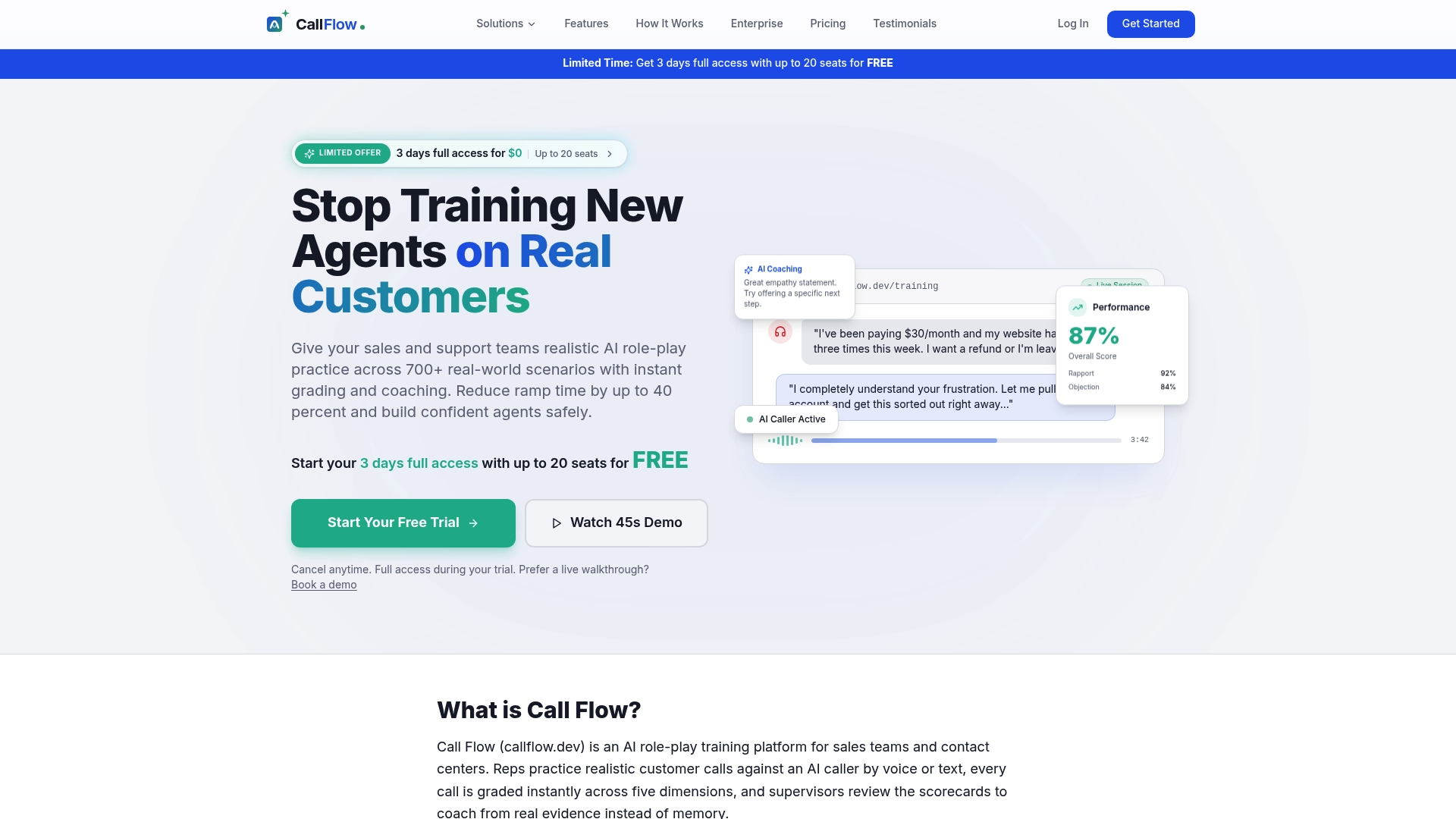
A taxonomy is only useful when agents practice against it. Call Flow gives sales and support teams realistic voice and text scenarios, a large scenario library across sales and support, and custom scenario creation tools. Agents get instant grading and coaching. Supervisors get dashboards and skill analytics.
You can try every feature in a free trial before you commit. Paid plans are billed per team. Starter is $7.42 per month or $89 per year. Growth is $14.92 per month or $179 per year. Scale is $33.25 per month or $399 per year. See the plans and pricing. For larger teams, the Business and Enterprise options are available on request. To see how prompt-first scenario creation works, read about AI-generated scenarios.
FAQ
What is the difference between a scenario taxonomy and a tagging system?
A taxonomy is the structure: the groups and the values inside them. A tagging system is how you use that structure day to day. It includes the rules for applying tags, who may change them and how you report on them. Build the taxonomy first, then the rules.
How many tags should one scenario have?
One value per required group is enough to start. That means a call type, a skill and a difficulty level. Add customer behavior and channel when you are ready. If a scenario needs more than six or seven tags, it is probably two scenarios.
Should agents see the tags?
Show agents the call type, skill and difficulty. These help them understand why they got an assignment. Think about hiding the customer behavior tag. Knowing a customer will be angry can take away part of the practice.
How often should we update the tag list?
Review it every quarter and whenever your QA scorecard changes. Merge values nobody uses and add values only when a real reporting need appears. Keep a dated change log so old reports stay readable.
Do we need special software to tag scenarios?
No. A shared spreadsheet works for a small library. Software helps once you need filters, assignments and score reports by tag in one place. Start with the list, then pick the tool.
Sources
- Assessment of Sales Negotiation Strategies with ISO 24617-2 (ACL Anthology, 2022)
- Annotating Customer-Oriented Behaviour in Call Centre Sales (ACL Anthology, 2024)
- Defining and publishing a tagging schema, Tagging Best Practices (AWS)
- Sales training: A state of the art and contemporary review (ScienceDirect, 2015)
- Annotation methods for sales conversations (Depeche Code)