

A training feedback loop is a cycle. An agent performs, someone gives specific feedback, the agent practices again, and the new attempt is checked. Feedback that ends the conversation is not a loop. Feedback that changes the next attempt is.
This guide shows how to build that cycle for sales teams and contact centers. It covers the steps, the measures, the common failures and a simple way to start.
TL;DR
- A loop has four parts: observe, give feedback, practice again, reassess on a new case.
- Two-way feedback works better than one-way feedback. Ask questions. Do not only tell.
- Feedback alone helps only modestly. Pair every piece of feedback with a new attempt.
- Score many calls, not a few. Small samples lead to poorly aimed coaching.
- Set a baseline before you start. Then compare ramp time and customer outcomes.
Table of Contents
- What a training feedback loop is
- The five steps of the loop
- Why many feedback loops fail
- How to build a loop for a sales or support team
- Connecting feedback loops to customer outcomes
- How to measure whether the loop works
- Our perspective
- Make the loop faster with AI role-play
- Quick checklist
- FAQ
- Sources
What a training feedback loop is
Feedback is information about performance that helps a person improve. The University of London describes it as information students receive about their performance that helps them adapt future behavior toward a goal. CIPD, the UK professional body for HR, defines performance feedback in a similar way: information about a person's performance used as a basis for improvement. It also notes that results depend on both the process and the content of the feedback.
A loop adds one thing: the next attempt. A learning design reference lays out the pattern. The learner's performance is observed, the information reaches someone who can act on it, the next attempt changes, and that attempt is observed again. If feedback ends the episode, it cannot affect later performance.
Loop, evaluation and one-way feedback
These three get mixed up. They are not the same.
| What it does | Does it change the next call? | |
|---|---|---|
| Evaluation | Scores past performance | Only if someone acts on the score |
| One-way feedback | Manager tells, agent listens | Rarely |
| Feedback loop | Feedback, practice, re-check | Yes, by design |
Evaluation is useful. A score tells you where an agent stands. But a score on its own is a verdict. A loop turns the verdict into the next rep.
The five steps of the loop
A common teaching model runs through observe, feedback, reflection, action and reassessment, then repeats. Here is how that looks on a sales or support floor.

1. Observe
Watch or listen to a real or simulated call. Use the same criteria each time. Pick a small set of skills, such as opening, discovery, objection handling, empathy and close or resolution.
2. Give feedback
Keep it specific. Point to the moment in the call. Say what happened and what to change. Keep it short.
The Wharton guidance on feedback systems recommends pulling (teaching, coaching, developing) rather than pushing (correcting, criticizing). In practice, ask the agent first. What did you notice? What would you try differently?
3. Reflect
Let the agent name the gap in their own words. This makes feedback a two-way exchange. A Training and Development article describes effective feedback as engaging, responsive and directed toward a desired outcome. Reflection is where the agent engages.
4. Act: practice again
This is the step most teams skip. Kennesaw State's teaching center says that iterative performance improvement happens when feedback is built into more practice. The agent needs a safe place to try the new move right away.
This is where role-play fits. A simulated customer lets an agent repeat a hard moment as many times as needed. No real customer pays for the mistakes.
5. Reassess
Check the next attempt. Use a new, comparable case, not the same one. The learning design reference points out that the loop needs re-observation on a new comparable item rather than just the corrected one. If the agent only fixes the one call, you have tested memory. You have not tested skill.
Why many feedback loops fail
Most loops break in the same few places.
Feedback arrives too late or too rarely
A callout in a TRi Association paper ties sparse feedback to feedback that shows up only with performance evaluation, such as the annual review. A note six weeks after a call is hard to use. Shorten the gap. Give feedback the same day, or in the same session.
Feedback is one-way
When the manager talks and the agent nods, nothing is checked. The same Training and Development piece says teams can make feedback two-way through specificity, empathy and inquiry. Start with a question. End with an agreed next step.
Feedback is the only tool
The Wharton guidance reports that performance after feedback improves only modestly, and more than a third of the time it gets worse. So do not stop at feedback. Attach a drill to it. Give the agent a task to repeat, and check the result.
The sample is too small
McKinsey reports that contact-center coaching is often poorly targeted when coaches base feedback on a small sample of calls. It recommends digital tools that analyze more calls and several performance indicators. One bad call may be a bad day. Ten similar calls are a pattern.
The process feels unfair
CIPD reports that when people see the process as fair, meaning consistent, accurate, unbiased and open to their input, they are more likely to accept feedback and improve. Use the same rubric for every agent. Share it before you score. Let agents respond.
The environment is noisy
TD's guidance on performance feedback says to structure the feedback setting to cut distractions and raise focus. It also suggests opening the session by stating clear goals and intended outcomes. Block ten minutes. Close chat windows. Say what the session is for.
How to build a loop for a sales or support team
Use this order. It works for a team of five or a team of fifty.
- Pick three to five skills. Define each in plain words. Write what good looks like.
- Write one rubric. Use the same rubric for live calls, simulated calls and coaching sessions.
- Set a baseline. Score each agent on a set of calls before you change anything.
- Give feedback within a day. Use a short script. Our post on instant coaching feedback scripts gives two to five minute formats you can copy.
- Assign one drill. One skill, one scenario, repeated until the score moves.
- Reassess on a new case. Use a different customer, a different objection, the same skill.
- Review the pattern weekly. Look at the team, not only at one agent.
For a four-step manager routine, see our coaching framework for sales managers.
A worked example
Take a support agent who scores low on empathy in the first thirty seconds of a call.
- Observe: The agent jumps to the account lookup. The customer sounds frustrated.
- Feedback: The manager asks, "What did the customer say first?" Then points to the moment the customer described the problem.
- Reflect: The agent sees the missed acknowledgment.
- Act: The agent runs three simulated calls with an upset customer. Each call tests the same opening.
- Reassess: Two days later, the agent handles a different upset customer. The manager scores the opening again, using the same rubric.
The skill is checked on a new case. That is what makes it a loop.
Connecting feedback loops to customer outcomes
Feedback loops matter because customers feel the difference. For technology teams, this overview on customer feedback and revenue growth shows how feedback from the market can feed back into the way a sales team prepares. Training feedback is the internal side of the same idea. Customers tell you what they need. Your loop turns that into practice.
How to measure whether the loop works
A loop you do not measure is a habit, not a system. Academic work on sales training evaluation says a key step is setting standards so reaction scores can be read properly. That means you decide in advance what counts as transfer from training to the job.
Track these in three layers.
| Layer | Example measures | What it tells you |
|---|---|---|
| Skill | Rubric scores per skill, score change between attempts | Is practice working? |
| Behavior | Share of live calls that use the trained move | Does it transfer to real calls? |
| Business | Ramp time, first-call resolution, customer satisfaction, turnover | Does it pay off? |
A few rules keep the numbers honest.
- Set the baseline before the first drill.
- Compare the same skills, scored with the same rubric.
- Score a wide sample of calls, as McKinsey advises.
- Report averages and spread. A team average can hide one agent who is stuck.
- Review at set times, such as every week for skills and every month for business results.
If you want to test this in a short window, our guide to a four to eight week real-time call coaching pilot shows how to run it. For a quick baseline, see how to pilot sales call simulation in one week.
Our perspective
Most teams we talk to already give feedback. The gap is what happens next. The agent hears a note, then takes the next live call with no chance to try the fix.
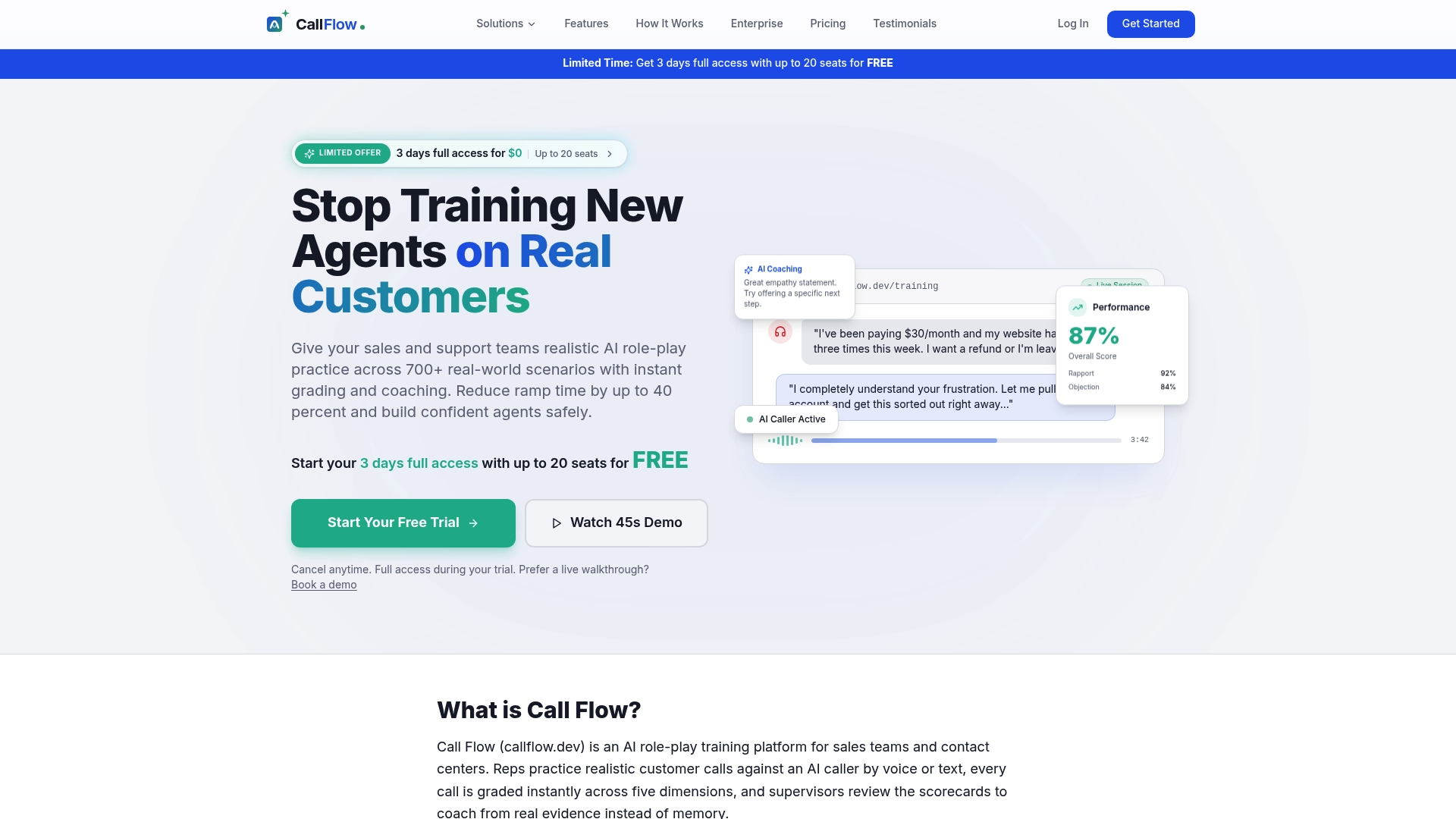
We built Callflow to close that gap. An agent practices a realistic call in voice or text. The platform grades it right away across five performance dimensions. The agent gets coaching feedback, then runs another scenario and sees the score change.
We think speed matters. Feedback that comes the same minute is easier to use than feedback that comes next week. We also think consistency matters. Our scoring is built to align with the QA standards a team already uses, and supervisors can review and override a score. That keeps the process fair and open to input.
Managers still matter most. Dashboards and skill analytics show where a team is stuck. That lets a manager spend coaching time on the right skill instead of guessing from a few calls.
Costa
Make the loop faster with AI role-play
The slowest part of most loops is practice. You need a partner, a script and time. AI role-play removes that wait.
Callflow gives sales teams and contact centers realistic practice scenarios with instant grading and coaching. You can use voice or text. You can build custom scenarios from your own calls. Supervisors see progress in a dashboard.
Plans are billed per team. Starter is $7.42 per month or $89 per year. Growth is $14.92 per month or $179 per year. Scale is $33.25 per month or $399 per year. See the Callflow plans and pricing for details. Larger teams can look at the Business and Enterprise options. A free full-feature trial lets you try the platform with your team first.
For more on setting this up, read our guide to AI sales training for managers. Remote teams can use the 30/60/90 checklist for remote sales coaching.

Quick checklist
Use this before you launch.
- Skills are defined in plain words.
- One rubric is shared with every agent.
- A baseline is recorded.
- Feedback happens within a day.
- Every piece of feedback links to a drill.
- Reassessment uses a new case.
- The sample of scored calls is wide.
- Someone reviews the pattern each week.
- Agents can respond to a score.
If you can tick all nine, you have a loop. If you cannot, start with the first gap and fix it.
FAQ
What is a feedback loop in training?
It is a cycle in which performance is observed, feedback is given, the learner practices again, and the new attempt is checked. The key part is the next attempt. Without it, feedback is only a comment.
What is the difference between evaluation and feedback?
Evaluation scores performance, usually after the fact. Feedback gives information the person can use to change what they do next. A good program uses both. The score shows the gap. The feedback and practice close it.
How often should agents get feedback?
As often as they can use it. Same-day feedback is easier to act on than feedback saved for a quarterly review. Pair each note with one drill, and check the result in the next session.
How do I know if the loop is improving ramp time?
Set a baseline first. Then track rubric scores, the share of live calls that use the trained skills, and time to reach your target performance. Compare new hires against earlier groups using the same measures.
Can a loop work for remote teams?
Yes. The steps do not need a shared room. Short feedback sessions, a shared rubric and simulated practice calls all work remotely. Written or recorded feedback can also work if the agent can respond.
Sources
- Goal Directed, University of London
- Performance feedback: an evidence review, CIPD
- Feedback is a two-way street, TD
- Feedback Loops, Learning Design Wiki
- Practice and Feedback, Kennesaw State CETL
- What is The Feedback Loop?
- Pull, Don't Push: Designing Effective Feedback Systems, Wharton Executive Education
- Performance Feedback Strategies, TD
- Fundamentals, TRi Association
- Smarter call-center coaching for the digital world, McKinsey
- Sales Training Evaluation: An Integrated Framework
- Customer feedback and revenue growth