

Performance coaching AI is software that watches or simulates work, scores it, and gives each person feedback and next steps. For sales and contact center teams, it works best when agents practice in realistic simulations, get graded at once, and meet a manager who acts on the results. Research supports this blend of AI and human coaching. Safeguards on privacy, bias and oversight are part of the setup, not an extra.
This guide is for sales managers, training directors, HR professionals and team leaders. It covers what the tools do, what the evidence says, where the limits are, and how to run a pilot.
TL;DR
- AI performance coaching analyzes conversations or practice sessions, scores them, and returns specific feedback without waiting for a manager's calendar.
- A 2025 study of call center agents found about a 9% drop in average handle time, with larger gains for newer agents.
- A randomized field experiment found AI plus a human manager beat either one alone.
- Set rules first: purpose limits, human review before any consequence, and bias checks.
- Start with a small pilot, pick two or three measures, and expand in steps.
Table of Contents
- What performance coaching AI is
- How it analyzes work and gives feedback
- What the evidence shows
- Using AI coaching in sales and contact centers
- Limits you should plan for
- Privacy, bias and oversight
- How to start and measure
- Our perspective
- Try it with your team
- FAQ
- Sources
What performance coaching AI is
Traditional coaching is a person watching your work and talking with you about it. It is valuable and it does not scale. A manager with twelve agents cannot review every call or sit in on every practice.
Performance management software is different again. It tracks goals, review cycles and ratings. It records what happened. It does not help someone get better at the next call.
Performance coaching AI sits between the two. It gives feedback on the skill itself, close to the moment of work. It can also track goals and act as an accountability partner. A systematic review of 16 studies with 2,312 participants found that AI coaches can be effective and accepted, and can match human coaches in competence for specific tasks. The same review reports that participants see AI coaches as accessible, convenient and psychologically safe. A non-judgmental setting can make people more open about what they find hard.
Three things set it apart:
- Speed. Feedback arrives in seconds, not at the next one-to-one.
- Consistency. Every person is scored against the same criteria.
- Volume. Everyone gets coaching, not only the top or bottom of the team.
The pace of adoption is rising. Gartner predicts that by 2028, 40% of employees will first be trained and coached by AI when they enter a new role.
How it analyzes work and gives feedback
Most tools follow the same loop. Input comes in, the model scores it, feedback goes out, and the data rolls up for managers.

Step 1: Capture the work
There are two main sources of input.
- Live or recorded customer conversations. The AI transcribes and analyzes them. Academic work describes AI coaches that use deep learning and cognitive speech analytics to analyze agent conversations with customers and give feedback on job skills.
- Practice sessions. The agent talks or types with an AI that plays a customer. No real customer is at risk, and the scenario can be repeated.
Practice has an edge for new hires and for rare, hard situations. An agent may wait weeks to meet an angry cancellation call. In a simulation, that call can happen today, three times in a row.
Step 2: Score against criteria
The AI compares the conversation with a rubric. Typical rubric items include opening, discovery questions, empathy, accuracy, handling objections and closing. A good setup uses your own quality standards, so scores mean the same thing to the AI, the supervisor and the QA team.
Step 3: Give feedback the person can use
A score alone does not change behavior. The useful part is the specific note: what was said, why it missed, and what to say next time. Good tools tie each point to the moment in the conversation.
Step 4: Roll up for managers
Supervisors see trends by person, team and skill. They see who is improving, who is stuck, and which skill is weak across the whole team. That turns a vague "we need better calls" into a short list of skills to train this month.
What the evidence shows
Claims about AI coaching are easy to find. Controlled studies are rarer. These are the ones worth knowing.
Call center productivity
An IZA working paper studied AI-augmented training for call center agents at a financial services company. Average handle time fell by about 60 seconds, roughly 9% of the pre-treatment average. Gains were larger for short-tenured agents (17%) than for long-tenured agents (7%). Customer satisfaction rose by about 0.4 points, around 5%, though the effect was only marginally significant.
Two points stand out. New agents gain the most, which matters for ramp time. And the customer satisfaction effect is positive but modest, so treat it as a direction, not a promise.

AI and human together
A 2020 American Marketing Association study ran randomized field experiments with sales agents at fintech companies. The incremental impact of an AI coach over a human coach followed an inverted U: middle-ranked agents improved the most, while bottom- and top-ranked agents showed limited extra gains from AI alone. When human managers passed along the AI's feedback in an AI-human assemblage, both bottom- and top-ranked agents performed better than with either coach alone.
The lesson is practical. Do not replace the manager. Give the manager better information.
How workers rate it
In The Conference Board's October 2025 survey, as reported by HR Dive, 96% of workers said AI provided customized coaching tailored to their goals. Ninety percent found it easy to use, 89% got specific and useful next steps, and 91% said they would use it again. These are opinions, not performance outcomes, but they show people will use the tool.
Using AI coaching in sales and contact centers
Three uses give the clearest return.
Faster ramp for new hires
New agents learn by doing, and doing is risky with live customers. Simulated calls let them make mistakes early and cheaply. Given the larger gains the IZA study found for short-tenured agents, onboarding is a sensible place to start. For a deeper look, see our guide to AI role play training and our walkthrough of AI contact center training.
Ongoing skill practice
Experienced agents stall when feedback stops. Short weekly practice on one skill, such as objection handling or de-escalation, keeps skills sharp. Managers can use instant coaching feedback scripts to turn the AI's score into a two to five minute conversation.
Remote and distributed teams
When managers cannot sit next to agents, scored practice fills the gap. Our remote sales coaching checklist lays out a 30/60/90 day plan.
Handle time and after-call work
Coaching helps with handle time, but process matters too. Start with the after-call work step, then coach talk skills. See how to reduce average handle time.
Limits you should plan for
AI coaching has real limits. Knowing them makes you use it well.
The Conference Board's October 2025 report, covered by HR Dive, noted scripted language, limited spontaneity, a lack of personal connection and inconsistent contextual memory in AI coaching. The report recommends a blended model. Managers and coaches use AI insights to improve their own conversations. CHROs set criteria for when a conversation goes to a human coach, especially for emotional distress or critical career decisions.
Allan Schweyer of The Conference Board put the split this way in a podcast: AI handles routine coaching such as goal tracking, feedback, rehearsal and meeting preparation. Human coaches focus on senior executives, where decision stakes are high and relationships are complex.
So use AI for the repeatable skills: structure, accuracy, tone, process. Use people for judgment, trust and career choices. Some of those human conversations are about identity and how someone shows up at work. If you want to see what that side of coaching involves, read about what authenticity coaching involves.
Privacy, bias and oversight
Coaching data is employee data. Set rules before you roll out.
- Limit the purpose. No Jitter argues that organizations need a documented purpose limit so coaching data does not drift into disciplinary decisions. It also calls for human review before any score produces a consequence, and an audit trail that covers the model, not only the employee.
- Keep individual conversations in the aggregate. The Conference Board's Schweyer said individual AI coaching conversations should be held and used in the aggregate only. He also recommended cross-functional governance with HR, technology, legal and procurement.
- Check for bias. The NIST AI Risk Management Framework, released January 26, 2023, names systemic, computational, statistical and human-cognitive bias as categories to manage. It says AI systems should be valid, reliable, secure, transparent, explainable, privacy-enhanced and fair.
- Keep a human in the loop. Seyfarth's May 2026 briefing advises employers to inventory where AI touches people, rate risk (hiring, promotion and pay are high risk), run targeted bias reviews, and make sure decisions can be explained and documented.
For a closer look at data handling, read our post on privacy in AI training.
How to start and measure
The Conference Board recommends that CHROs select tools carefully, pilot them, and extend them gradually to all workers and managers. Here is a simple plan.
- Pick one team and one goal. New-hire ramp is a common choice.
- Define two or three measures. Examples: time to full productivity, first-call resolution, QA score, customer satisfaction, average handle time.
- Take a baseline. Record the numbers for the four weeks before the pilot.
- Align the rubric. Use your current QA standards, so results compare with past data.
- Run four to eight weeks. Set a practice schedule, for example three short sessions a week.
- Review with managers. Managers should turn scores into short coaching talks. See our real-time call coaching pilot guide.
- Compare and decide. Look at the change against the baseline and against a team that did not take part.
- Expand in steps. Add teams only when managers are ready.
Manager readiness matters. A Gartner survey of 114 HR leaders found only 8% believe their managers have the skills to use AI effectively today. Plan a short training for supervisors as part of the pilot.
For a manager-focused view of the whole cycle, see AI sales training for managers.
What to look for in a tool
| Need | What to look for |
|---|---|
| Realistic practice | Voice and text simulations, with a library of sales and support scenarios |
| Useful feedback | Instant scores across several dimensions, plus clear next steps |
| Fit with QA | Scoring that matches your existing standards |
| Manager control | Supervisor review and override of AI scores |
| Visibility | Dashboards and skill analytics by agent and team |
| Your own cases | Tools to build custom scenarios |
| Low-risk buying | Self-serve start and a trial with full features |
| Budget clarity | Published, flat pricing |
Our perspective
We built Call Flow around one idea: agents improve when they practice real situations and get a clear grade right away.
Most coaching fails on timing. The call happens on Monday. The review happens two weeks later. By then, nobody remembers it. Instant grading closes that gap. Our platform scores each practice session across five performance dimensions and gives coaching feedback the agent can use on the next try.
We also think the manager stays central. That is why we built supervisor dashboards and review and override workflows. The AI does the repetitive work. The supervisor decides what the scores mean. Our scoring is designed to align with the QA standards you already use, so the numbers fit your process.
Your team should be able to try it without a long sales cycle. Pricing is flat and published, and the trial gives full access.
Costa
Try it with your team
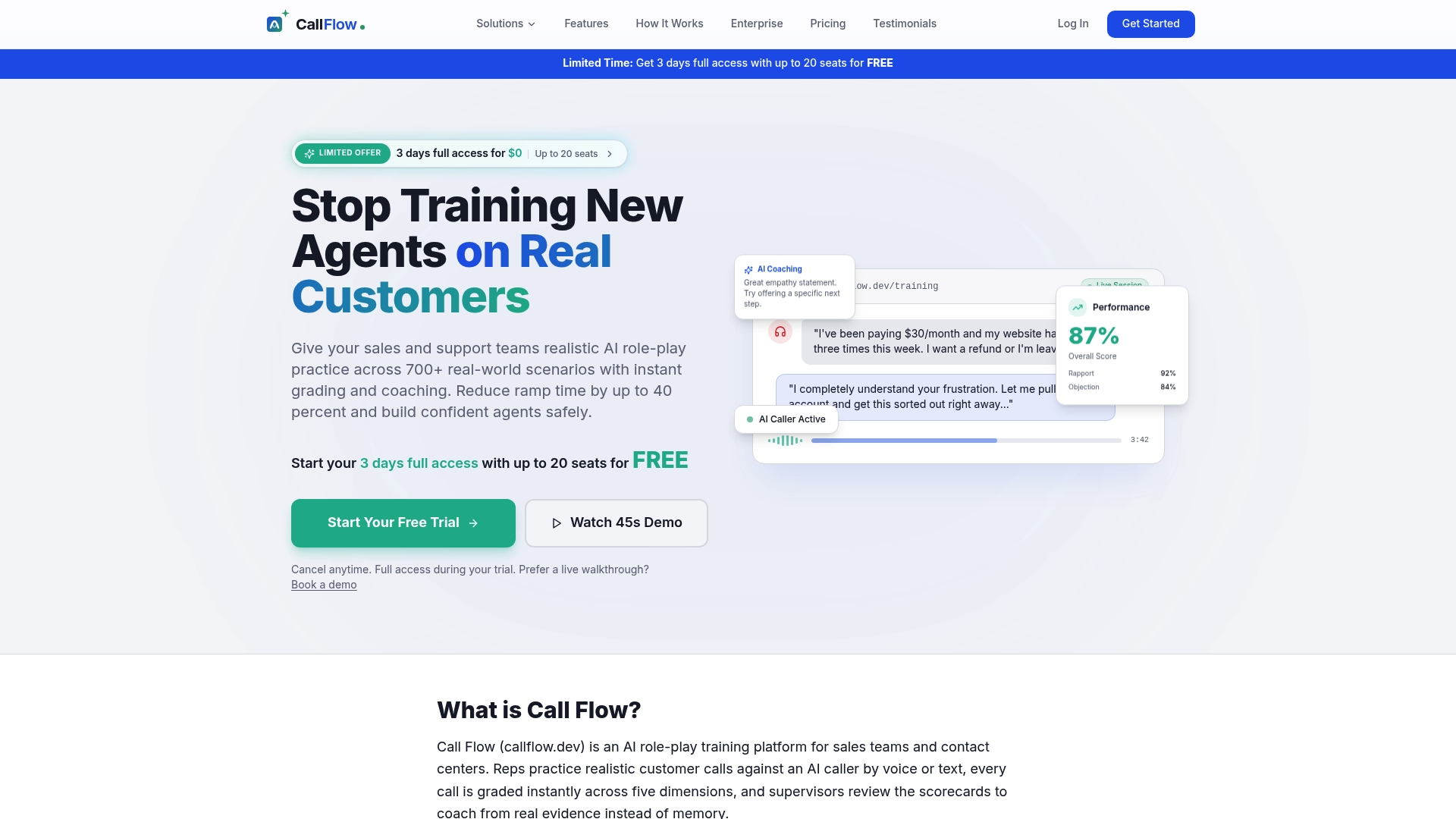
Call Flow is an AI role-play platform for sales teams and contact centers. Agents practice in voice or text simulations, get instant grades across five performance dimensions, and receive coaching feedback. Supervisors get dashboards and skill analytics, and you can build custom scenarios.
Plans are published on the pricing page:
| Plan | Monthly | Annual |
|---|---|---|
| Starter | $7.42 per month | $89 per year |
| Growth | $14.92 per month | $179 per year |
| Scale | $33.25 per month | $399 per year |
Business and Enterprise plans have no published price. See the enterprise page for details. You can also start from callflow.dev with the free full-feature trial.
FAQ
What is performance coaching AI?
It is software that analyzes work or practice, scores it, and gives each person specific feedback and next steps. It can also track goals and prompt follow-up. It supports managers and does not replace them.
Does AI coaching work better than a human coach?
Not on its own for every case. In a randomized field experiment, agents coached by an AI and human manager together performed better than those coached by either alone. AI covers volume and speed. People cover judgment and trust.
Who gains the most?
In the IZA call center study, short-tenured agents gained 17% in productivity against 7% for long-tenured agents. That makes onboarding a strong first use. Experienced agents still benefit from regular practice on specific skills.
Is employee coaching data private?
It should be, with limits you set in writing. Keep individual sessions out of discipline, use results in the aggregate, and put a human review before any consequence. Involve HR, legal and IT early.
How long should a pilot run?
Four to eight weeks is a common length for one team. Take a baseline first, pick two or three measures, and review results with managers before you expand.
Sources
- A systematic literature review of artificial intelligence in coaching
- Gartner HR Symposium 2026 sessions
- Coaching Sales Agents? Use AI and Human Coaches Jointly (AMA)
- How AI-Augmented Training Improves Worker Productivity (IZA)
- HR Dive: AI can provide most career coaching, but human expertise is still needed
- The Conference Board podcast: How AI Coaching Is Redefining Leadership Development
- No Jitter: Real-time AI coaching is becoming continuous surveillance
- Epstein Becker Green: NIST publishes AI Risk Management Framework
- Seyfarth: AI in HR briefing, May 2026
- The Conference Board: A Coach for Every Worker
- Gartner research on manager AI skills
- Authenticity coaching: what it is